
The address complement remains the most poorly filled field in the recipient block. Line errors, information truncated due to exceeding 38 characters, confusion between internal and external building location: these approximations cause returns and delivery delays that we observe recurrently in mail and parcel flows.
OCR Constraints and Technical Limits of the Postal Address Block
The optical sorting machines (OCR) used by postal operators read a calibrated window. The address block must not exceed 6 lines and 38 characters per line, including spaces. Any information that overflows this framework is ignored by the system, redirecting the mail to slower manual sorting.
The address complement usually occupies lines 2 and 3 of the recipient block. If these lines exceed the character limit, it is often the apartment number or the name of the residence that gets truncated, precisely the element the mail carrier needs to finalize the delivery.
We recommend systematically testing the length of each line before printing or final entry. One word too many on line 3 is enough to make the complement unreadable for the machine. It is better to abbreviate the type of road (“av.” for avenue, “rés.” for residence) than to sacrifice the building or stair number.
To understand the address complement in mail addressing, one must first distinguish what pertains to internal location (apartment, floor) from what pertains to external location (building, residence, industrial zone).

Line 2 and Line 3: Hierarchy of the Recipient Address Complement
The ANGDM guide published in August 2026 formalizes a distinction that many online forms still ignore. The address complement is broken down into two hierarchical levels, each assigned to a specific line of the block.
Line 2: Internal Location of the Housing
This line accommodates the apartment number, floor, corridor, or stair. These are the details that the delivery person or mail carrier uses once inside the building. Example: “Apt 12 Esc B 3rd floor”.
The classic mistake is to place the name of the residence on this line. The name of the residence is not useful inside the building; it serves to identify the correct building from the public road.
Line 3: External Location of the Building
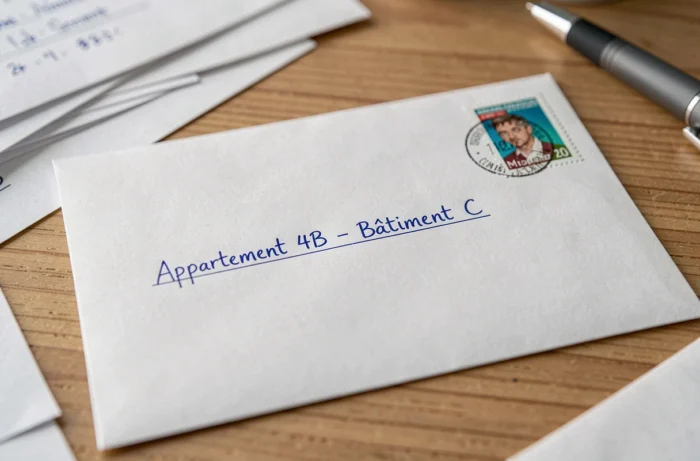
Entrance, building, block, residence, industrial zone: anything that helps to locate the construction from the outside goes on line 3. Example: “Bât C Résidence Les Érables”.
Reversing lines 2 and 3 does not block machine sorting, but complicates the work of the distributor at the end of the chain. A mail carrier who reads “Bât C” first and then “Apt 12 Esc B” mentally reconstructs the route. An occasional delivery person, less familiar with the area, may lose several minutes.
Address Complement for a Business: Specific Fields Not to Confuse
Professional addressing adds a level of complexity. Line 1 carries the company name or trade name, line 2 the recipient’s identity and department. The address complement itself (lines 3 and possibly part of line 2) must point to the correct building in a business park or multi-building campus.
We regularly observe parcels returned because the shipping form merges the service name and geographic complement into a single line, thus exceeding the character limit. For a professional shipment, the rule is strict:
- Service or department of the recipient on the line dedicated to identification, never mixed with the geographic complement
- Name of the building, door number, or zone on the address complement line (line 3)
- Street number and name on line 4, postal code and city on line 6
When the recipient is in an industrial zone or business park, the name of the zone replaces the residence-type complement. “ZI des Quatre Vents” or “Parc Technopole Bât 7” are valid external address complements on line 3.
Common Input Errors on Online Delivery Forms
E-commerce forms often offer a single “address complement” field without specifying whether it pertains to internal or external location. This ambiguity leads senders to stack all information on a single line.
Three errors consistently recur:
- Inserting the building access code in the address complement field instead of the “delivery instructions” field, wasting valuable characters
- Repeating the street number already entered in the main field, reducing the space available for the actual complement
- Using special characters (slashes, parentheses) that some sorting systems do not recognize correctly
The last three lines of the address block must be in uppercase according to French postal recommendations. On a web form, the conversion to uppercase is sometimes automatic for the city and postal code, but rarely for the street line. Checking the final rendering before validation avoids unpleasant surprises.
A well-filled complement field contains neither superfluous punctuation, nor italics, nor underlining. These guidelines, designed for OCR processing, remain relevant even for manually processed shipments: a clean address is read faster, regardless of the distribution method.
The most reliable reflex remains to reread the complete address block as a six-line block aligned to the left, counting the characters of each line. If one exceeds 38 characters, it is the address complement that should be shortened first, not the city name or street number.